
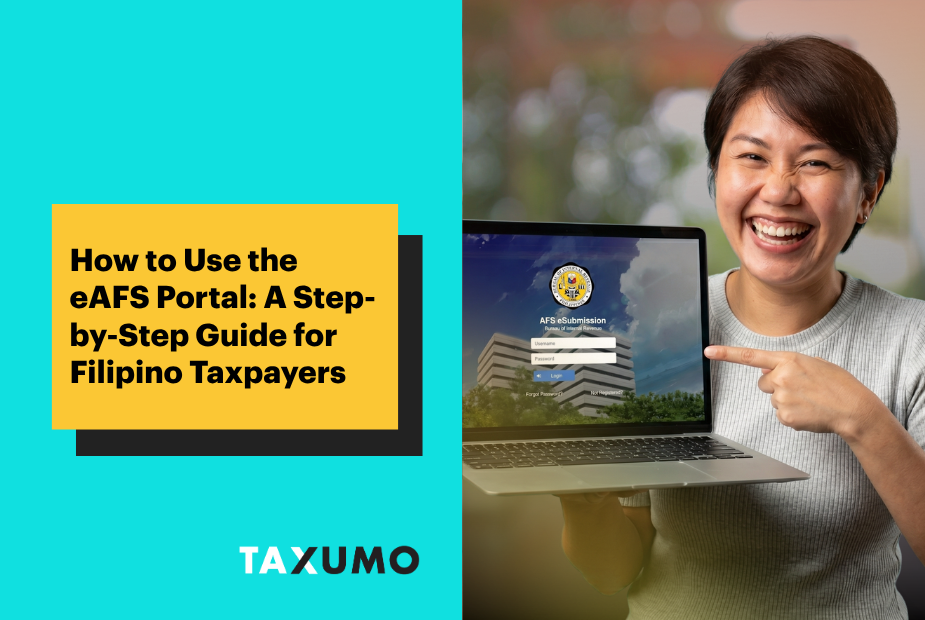
Tax season in the Philippines means one thing for many business owners and professionals: a pile of documents, a trip to your Revenue District Office (RDO), and a long wait in line. But if you’re required to submit your Audited Financial Statements (AFS) to the BIR, there’s now a faster and more convenient way to do it, through the eAFS portal.
Attachments can be a lot of work. Get an online certified accountant to handle your taxes and attachments today!
💡 As of May 18, 2026, the BIR has released RMC No. 046-2026, extending the deadline for the eAFS submission of 2025 Audited Financial Statements and other attachments to May 25, 2026.
For questions or further clarification, feel free to chat with our team at taxumo.com/customercare.
What Is the eAFS Portal?
The eAFS portal, short for Electronic Audited Financial Statements, is a BIR web-based system that allows Filipino taxpayers to electronically submit their Annual ITR, Audited Financial Statements (AFS), and other required tax attachments online, in PDF format.
Instead of physically bringing your documents to your local RDO, you simply upload them through the portal. It’s the BIR’s way of making tax compliance more accessible for Filipino taxpayers, whether you’re running a small business in Cebu or freelancing from home in Metro Manila.
You can access it at: eafs.bir.gov.ph

You're all set!
Thank you for your response! Your Taxpayer Guide will be on its way to your inbox.
SIGN UP FOR FREEWho Is Required to Use the eAFS Portal in the Philippines?
The BIR requires the following Filipino taxpayers to use the eAFS portal:
- Corporations, regardless of size or industry
- Self-employed individuals and sole proprietors whose gross annual sales, earnings, or receipts exceed ₱3 million
- Any taxpayer required to file an AFS with the SEC
If you’re a freelancer or self-employed professional earning below the ₱3 million threshold, you’re not required to use it.
What You Need Before You Start
Before logging into the eAFS portal, prepare the following:
- Signed forms and attachments depending on your taxpayer classification:
- BIR Form 2307 (Certificate of Creditable Tax Withheld) – If you have withholding tax credits
- SAWT – If you have creditable withholding tax claim
- BIR Form 2316 – I f you have compensation income
- BIR Form 1700, 1701, 1701A, or 1702
💡 BIR Form 1701A filers usually do not need an Audited Financial Statement (AFS) if they use the Optional Standard Deduction (OSD), qualify for the 8% tax rate, or earn below the ₱3 million threshold. Conversely, BIR Form 1701 filers utilizing itemized deductions above ₱3 million will commonly require an AFS.
- Your Audited Financial Statements (AFS), signed by a BIR-accredited CPA
- Other BIR-required attachments (e.g., Statement of Management Responsibility, Notes to Financial Statements)
- All files converted or scanned into PDF format and properly labeled
- A stable internet connection, especially important during peak filing season
How to Use the eAFS Portal: Step by Step
Step 1: Prepare your documents. Scan or export all required files as PDFs. Each document must be clear, complete, and properly signed. Blurry or incomplete scans are one of the most common reasons Filipino taxpayers run into submission issues.
Step 2: Go to the eAFS portal. Visit eafs.bir.gov.ph and log in using your TIN and registered credentials.
Step 3: Upload your files. Follow the on-screen instructions to upload your ITR, AFS, and attachments. The portal will walk you through each required document.
Step 4: Save your proof of submission. Once all files are successfully uploaded, the system will generate a Transaction Reference Number (TRN) and a Confirmation Receipt. These are your official BIR proof of submission, download and keep them. You will need these if the BIR ever asks for confirmation of your filing.
Get all your eAFS attachments in one place.
Taxumo helps you generate, organize, and file your ITR and required documents — so you’re eAFS-ready without the hassle.
Do’s and Don’ts When Using the eAFS Portal
✅ Do’s
- Do double-check your PDFs before uploading. Make sure all pages are complete, properly signed, and readable. The BIR will not process incomplete submissions.
- Do save your TRN and Confirmation Receipt right away. These are your only proof that you complied..
- Do follow BIR’s official file naming conventions as outlined in the eAFS User Guide. Incorrect file names can cause upload errors.
- Do make sure your AFS is signed by a Philippine-licensed CPA before uploading, the BIR requires this for the submission to be valid.
❌ Don’ts
- Don’t upload low-quality or incomplete scans. Blurry, cropped, or missing pages can result in a rejected submission, and you’ll have to start over.
- Don’t mistake eAFS submission for tax payment. Uploading your documents to the eAFS portal is separate from paying your taxes due. Your tax balance still needs to be settled through official BIR payment channels (e.g., eBIRForms, GCash, online banking).
- Don’t forget any required attachments. A missing document means an incomplete submission, and that can lead to compliance issues with the BIR.
- Don’t close your browser immediately after uploading. Wait for the portal to fully generate your TRN and Confirmation Receipt before you exit.
Here’s something a lot of Filipino taxpayers don’t know: your eAFS attachments don’t have to be submitted at the same time as your ITR. If you’re filing through eFPS, eBIRForms, or TSP, you have 15 days from your ITR filing deadline, or 15 days from your actual filing date if you filed late, to submit your attachments (including your AFS) via eAFS.
For calendar year 2025 ITRs, that means:
- ITR deadline: April 15, 2026
- eAFS attachments due: April 30, 2026
So there’s breathing room. You don’t need to scramble to get everything submitted on the same day.
Note: The deadline has been extended this year, and there are also specific file naming conventions to follow when uploading. For the most up-to-date guidelines, check Taxumo’s help article: How to submit ITR attachments via BIR eAFS.
Thank you for the info! Helped a lot in getting through that tedious eAFS site!
I appreciate your customer support chat team. Very helpful.
Happy to help you, Jason!