Registering with the Online Registration and Update System (ORUS) at the Bureau of Internal Revenue (BIR) in the Philippines is a pivotal step for taxpayers aiming to manage their tax obligations online. This guide will walk you through the process of how to register at ORUS.BIR.GOV.PH, ensuring a smooth and straightforward experience.
*If you’re confused on how to set up your ORUS account, our team can help you!
Step 1: Access the ORUS Website
Begin by navigating to the official Bureau of Internal Revenue ORUS website at ORUS.BIR.GOV.PH. Ensure you have a stable internet connection to prevent any disruptions during the registration process.
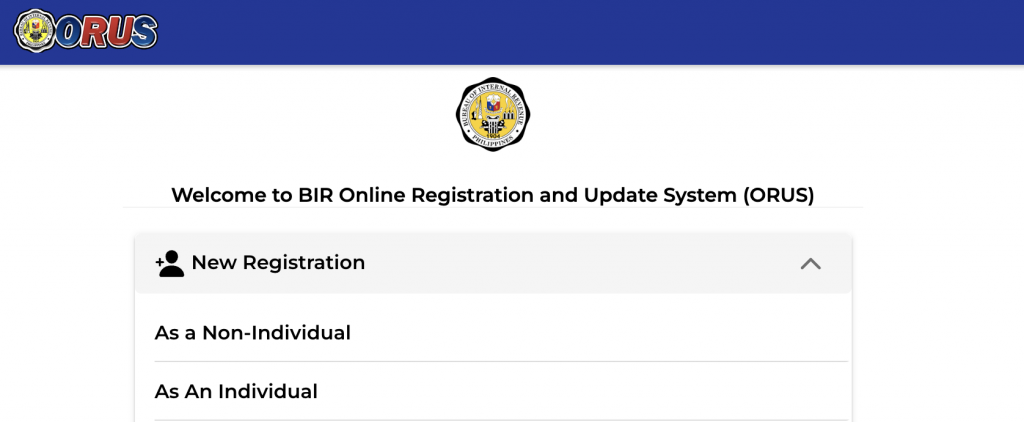
Step 2: Create an Account
- Choose between New Registration as a Non – Individual or as an individual.
- Here are the requirements if you are registering as an individual:

- Here are the documents if you are registering as a Non-Individual with the Bureau of Internal Revenue:
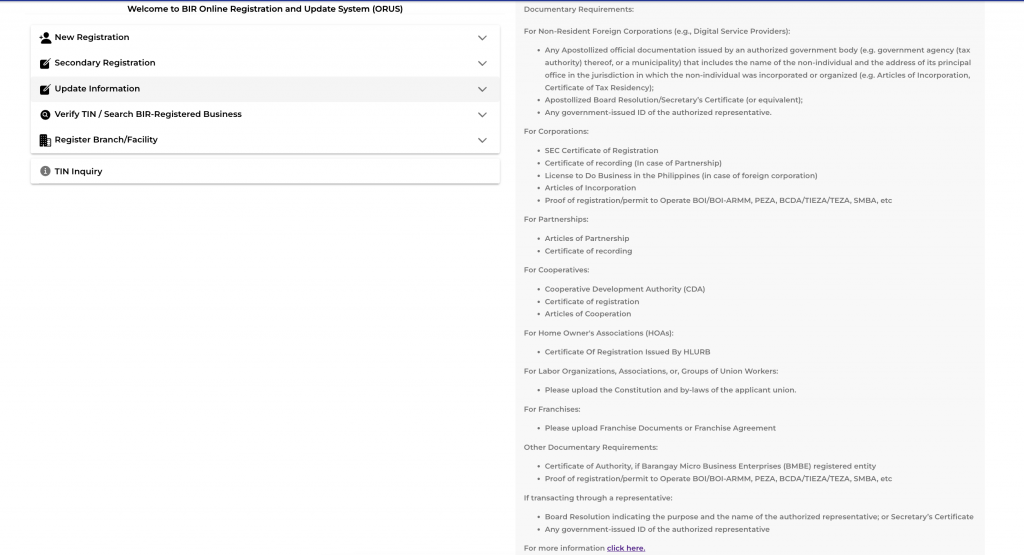
- Read the terms and conditions and agree
- Fill in the required fields with your personal information. It will ask you if you have or don’t have a TIN.
- Fill out the fields. It’s important that you take note of the email address that you will use since this is what BIR will log in their system.
- Create a secure password that meets the ORUS requirements.
Step 3: Verify Your Email
- After submitting your registration form, check your email for a verification link from ORUS.BIR.GOV.PH.
- You will have 24 hours to verify your account.
- Click on the link to verify your account. If you don’t see the email, check your spam or junk folder.
Step 4: Log In to Your Account
- You will receive an email from BIR confirming that your registration has been approved.
- Return to the Bureau of Internal Revenue’s site: ORUS.BIR.GOV.PH and log in using the email and password you registered with.
- The first time you log in, you may be prompted to complete additional profile information.
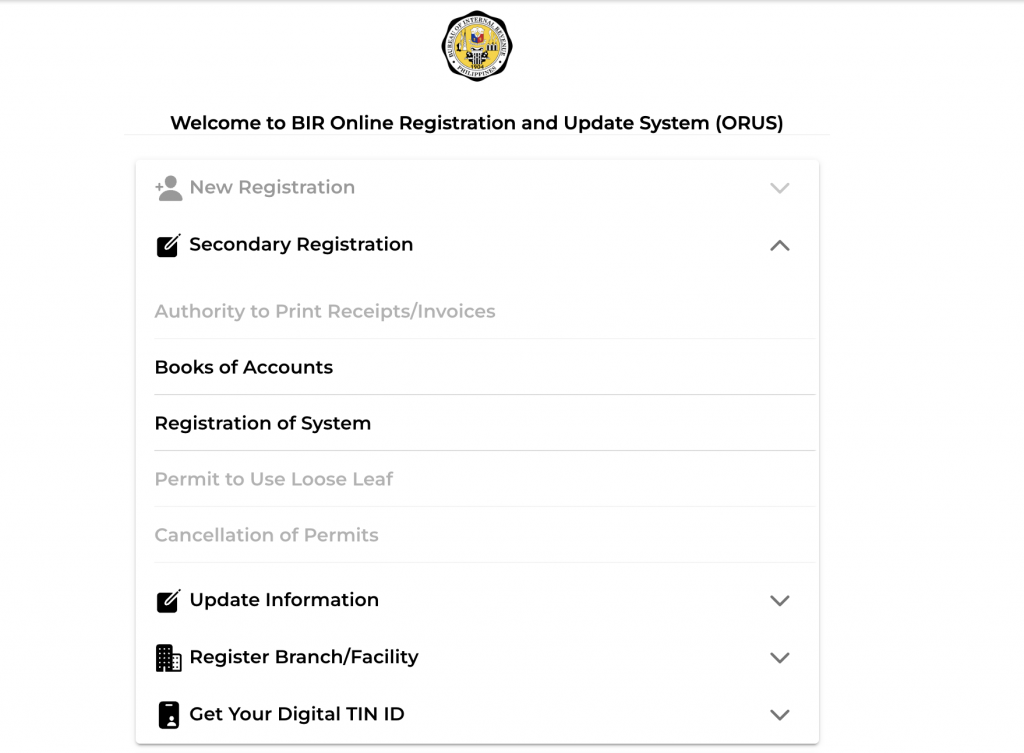
Step 5: Things that you can do in ORUS
- Once logged in, navigate through the different features. Those that are greyed our have already been done. The ones in black are the things that you can still do.
Additional Tips:
- Ensure all information entered is accurate and up-to-date to prevent any delays in the registration process.
- Regularly check your email and ORUS.BIR.GOV.PH account for any updates or required actions.
- If you encounter any issues, check out the FAQs section of ORUS.BIR.GOV.PH: https://orus.bir.gov.ph/faqs
- You can also visit your BIR RDO if you encounter any issues.

You're all set!
Thank you for your response! Your Taxpayer Guide will be on its way to your inbox.
SIGN UP FOR FREEAlready registered! What’s Next?
Congratulations on successfully completing your registration with the Online Registration and Update System (ORUS) at BIR! Now that you’re all set up with ORUS, the next step in managing your tax obligations is filing your taxes conveniently and efficiently.
One easy way to file your taxes is by using Taxumo, a user-friendly online platform designed to simplify the tax filing process for individuals and businesses. With Taxumo, you can streamline your tax filing experience, saving you time and effort.
This article (www.taxumo.com/blog/how-to-file-your-taxes-using-taxumo) can help you understand how to file taxes the easiest way with Taxumo.
Conclusion
Following these steps on how to register at ORUS.BIR.GOV.PH will facilitate a seamless registration process, allowing you to manage your tax obligations effectively. Embrace the convenience of digital tax administration and stay compliant with ease.