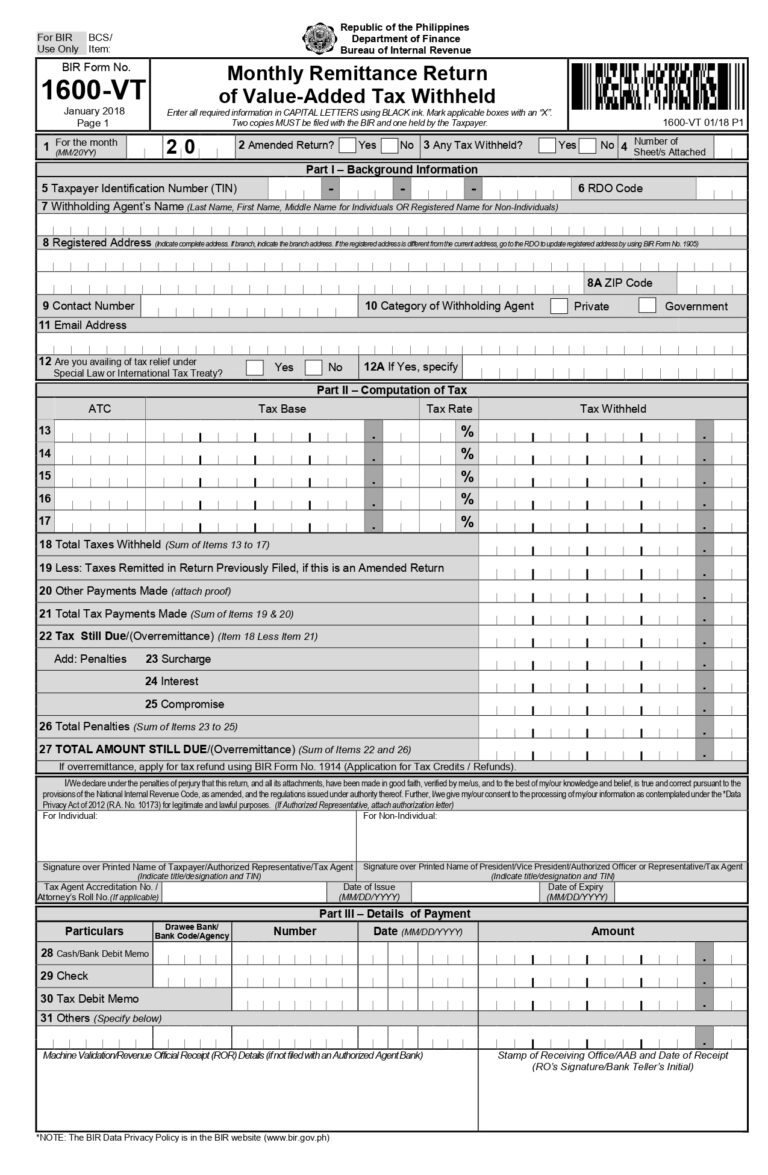
BIR Form 1600-VT, or the Monthly Remittance Return of Value-Added Tax Withheld, is a tax form filed by businesses that withhold 12% VAT on payments to non-resident digital service providers (NRDSPs). This applies if you’re paying foreign suppliers that are not registered with the BIR or PEZA.
Monthly Remittance Return of Value-Added Tax Withheld
Issued by
Bureau of Internal Revenue (BIR)
Current Version
January 2018 (ENCS)
Who must File
All Withholding Agents (Government and Private) who pay for services rendered in the Philippines by non-residents, or those purchasing goods/services from VAT-registered sellers where the buyer is required to withhold VAT (e.g., government agencies).
VAT Threshold
There is no threshold for withholding; the 12% VAT is generally withheld on the full gross payment for taxable transactions.
Filing Channel
eFPS, eBIRForms, or online tax software providers (TSPs) like Taxumo.
*Dates above are the Bureau of Internal Revenue’s (BIR) official deadlines. Taxumo sets its deadlines 2-3 days prior to ensure your filings are processed and submitted on time.
VAT withheld refers to the 12% value-added tax deducted from payments made to non-resident digital service providers. The Philippine business paying for the service withholds the tax before completing the payment. This withheld amount must then be reported and remitted to the BIR using Form 1600-VT.
No. Form 1600-VT only applies to digital services provided by non-resident suppliers. The rule applies when the service is consumed in the Philippines by a local business. If the transaction does not involve digital services, other tax rules may apply.
After filing, the withheld VAT is officially reported to the Bureau of Internal Revenue. The payment is recorded under the monthly withholding tax obligations of the business. Businesses should keep copies of the filed return and payment confirmation for documentation.
Businesses should keep invoices, payment records, and tax filing documents related to the transaction. These records support the VAT withheld and reported in Form 1600-VT. Proper documentation helps ensure compliance during tax reviews or audits.
In some cases, businesses may need to file a zero or nil return if the form is part of their tax obligations. This means the form is submitted even if no VAT was withheld during the period. Filing requirements may depend on the business’s BIR registration.
Form 1600-VT ensures that VAT on digital services is properly collected in the Philippines. It allows the BIR to track taxes on cross-border digital transactions. Filing the form correctly helps businesses avoid penalties and maintain compliance.
Failure to file or pay BIR Form 1600-VT on time may result in BIR penalties. These may include a 25% surcharge on the tax due, 12% annual interest, and a compromise penalty. The total penalty depends on the amount of tax unpaid and the length of delay. Filing and paying on time helps businesses avoid additional tax liabilities.
Use Taxumo today!
Automate your tax filing with Taxumo. Easily calculate your taxes, generate BIR forms and e-invoices, and track your cash flow in real-time. Pay your dues via e-wallet, card, or installments—anytime, anywhere, on any device.